Your whole salon,
on one screen.
Diary, client records, checkout, marketing, messaging, stock, reports and team in one web app that works on a phone. Built for salons. Configured for your business before you see it.
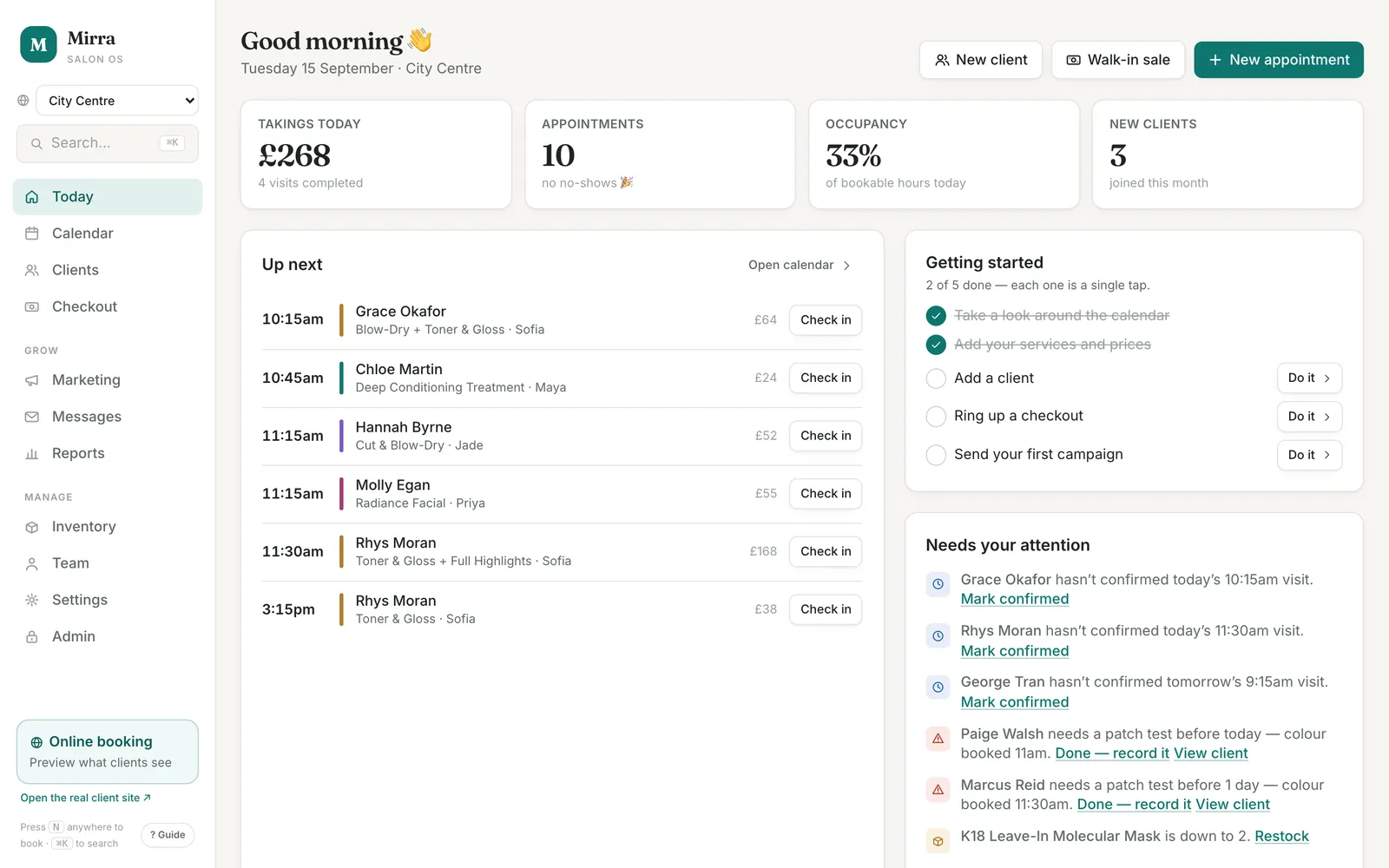
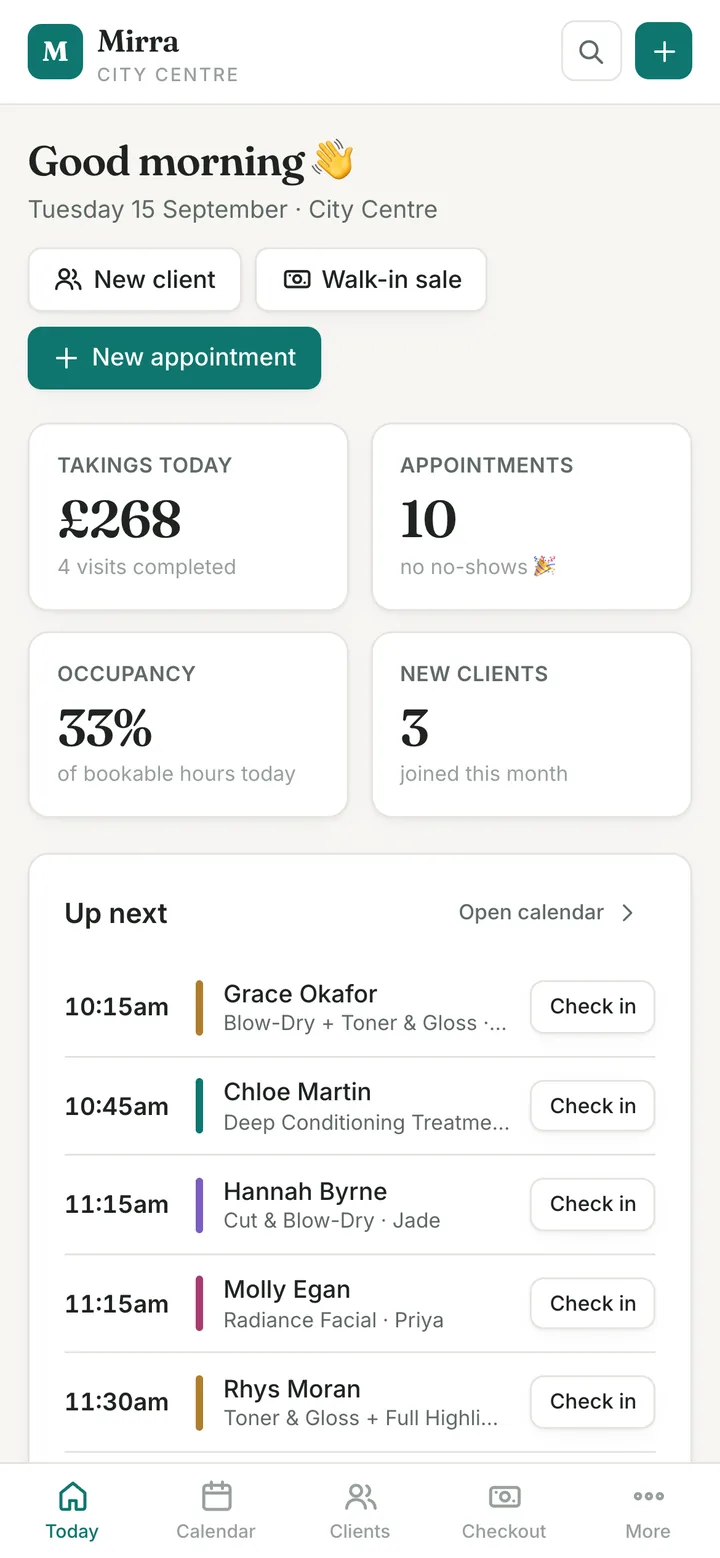
The Today screen: takings, appointments, occupancy, what is up next and what needs chasing. Every screenshot on this page is from the demo salon, Mirra Studio, with sample data. Mirra is the platform's working name.
What your team sees.
Book on the diary itself.
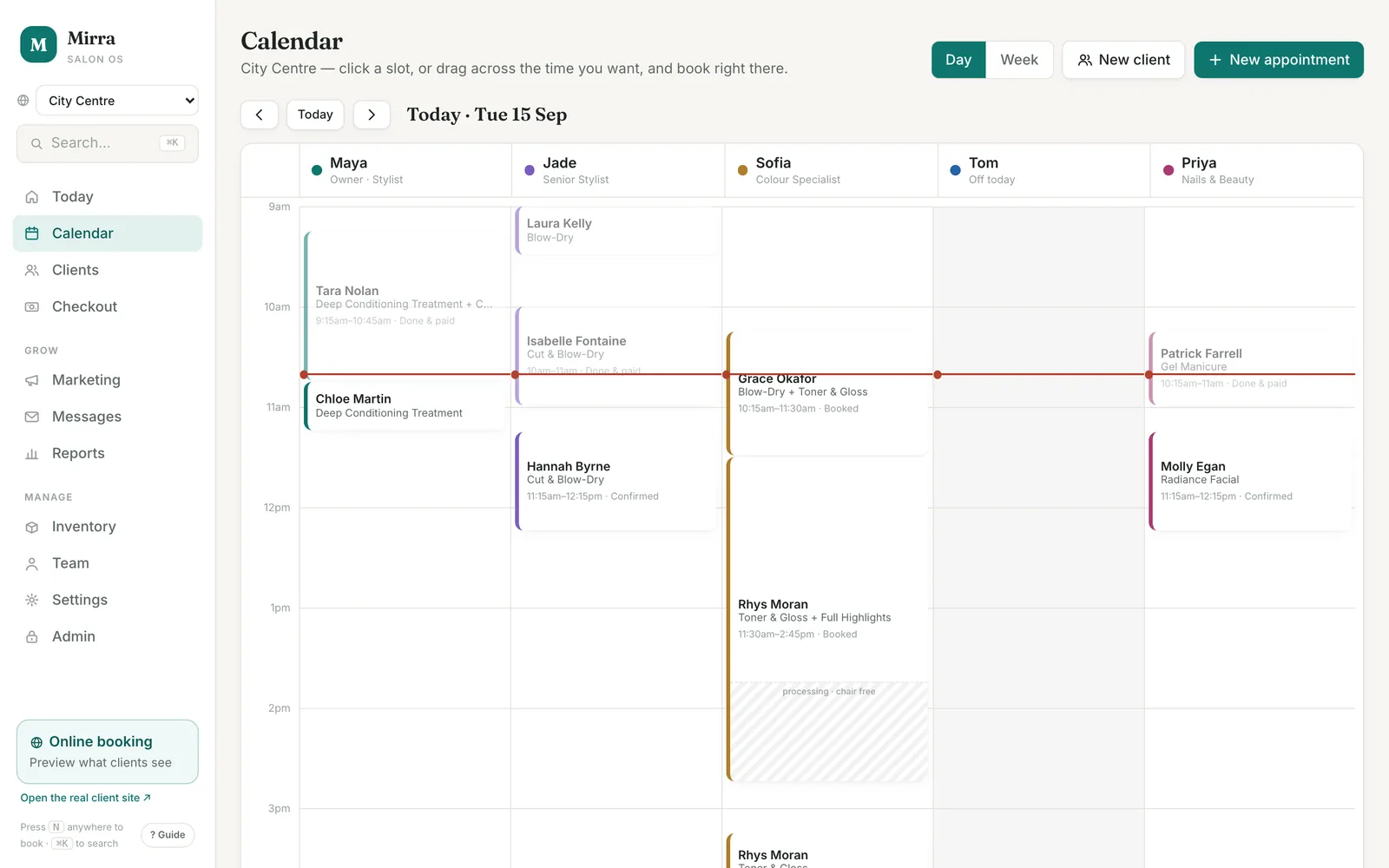
Click an empty slot, or drag across the time you want, and a booking card opens right there. One column per team member, day or week view, and colour developing time shown as a striped tail so the stylist is free for the next client while the colour takes.
A double booking cannot be saved. The diary blocks the clash and offers the next free slot instead. Rooms and machines are checked the same way, so a treatment room or pedicure chair is never booked twice.
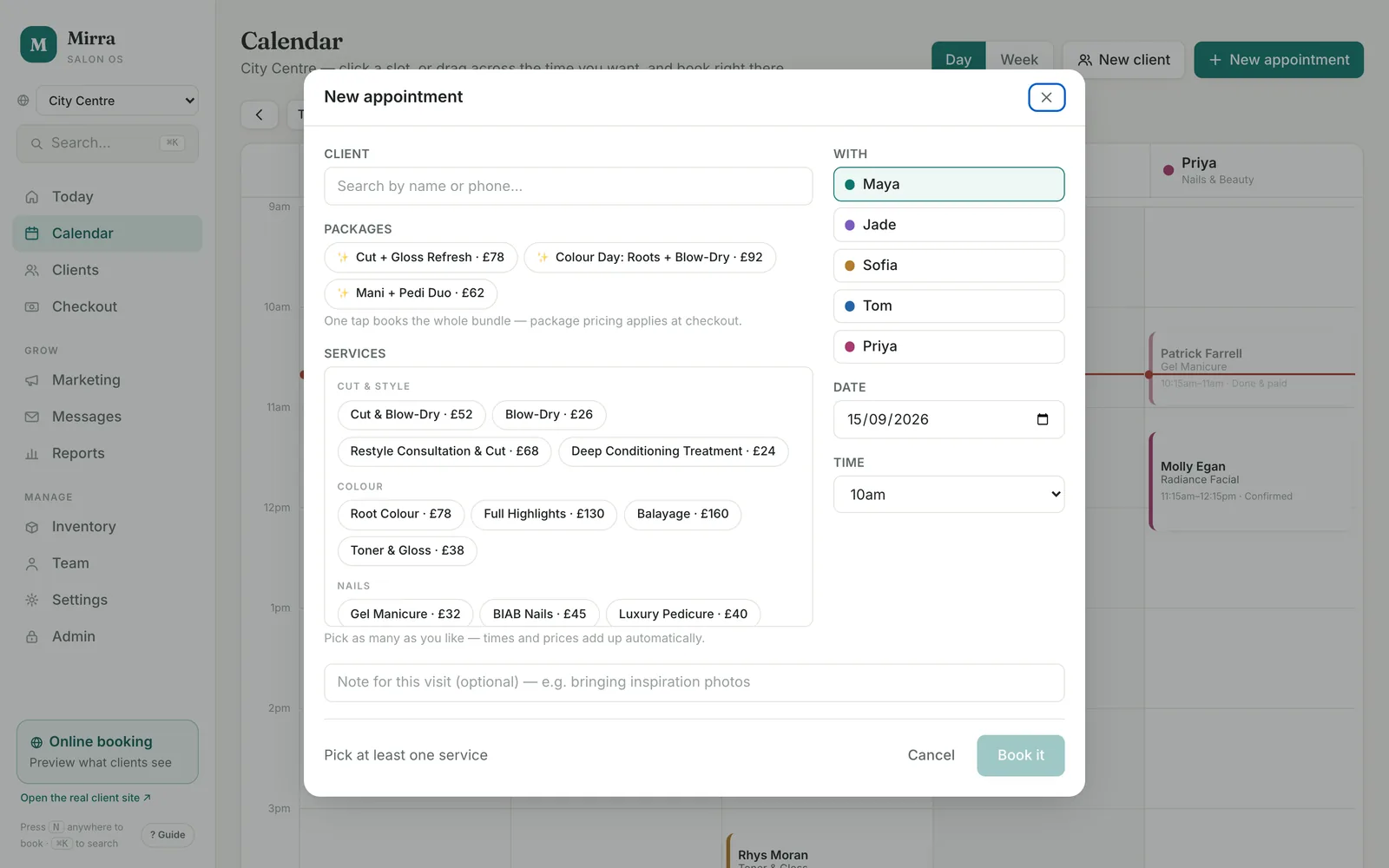
One booking, any number of services.
Choose the client, the services or a package, who with, the date and time. Durations and prices add up as you go, and a note travels with the visit. Press N anywhere to start one.
A colour booking with no patch test in the last six months appears on the Today screen as something to chase, and the test is recorded from there, from the client card or from the appointment.
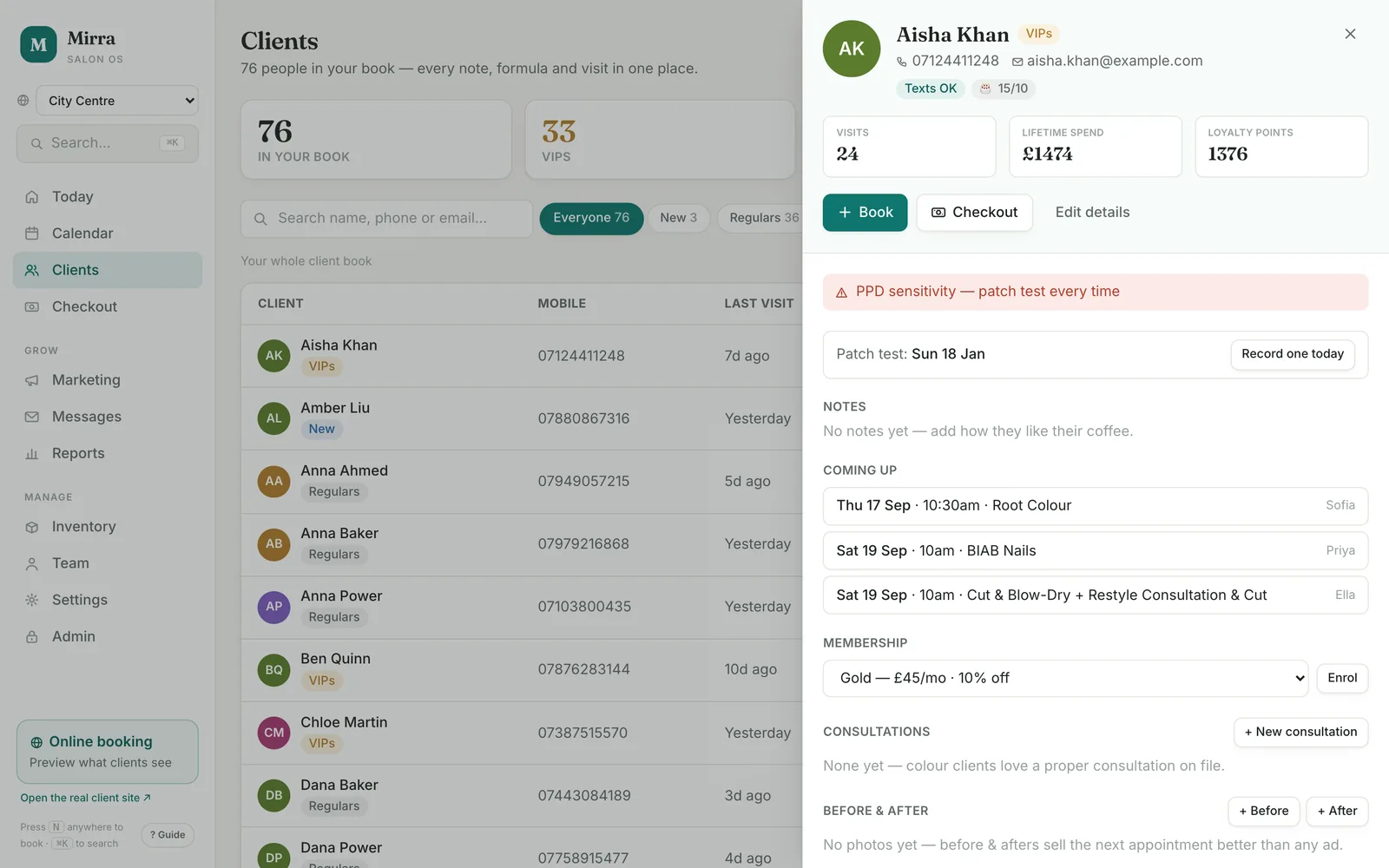
Every note, formula and visit in one place.
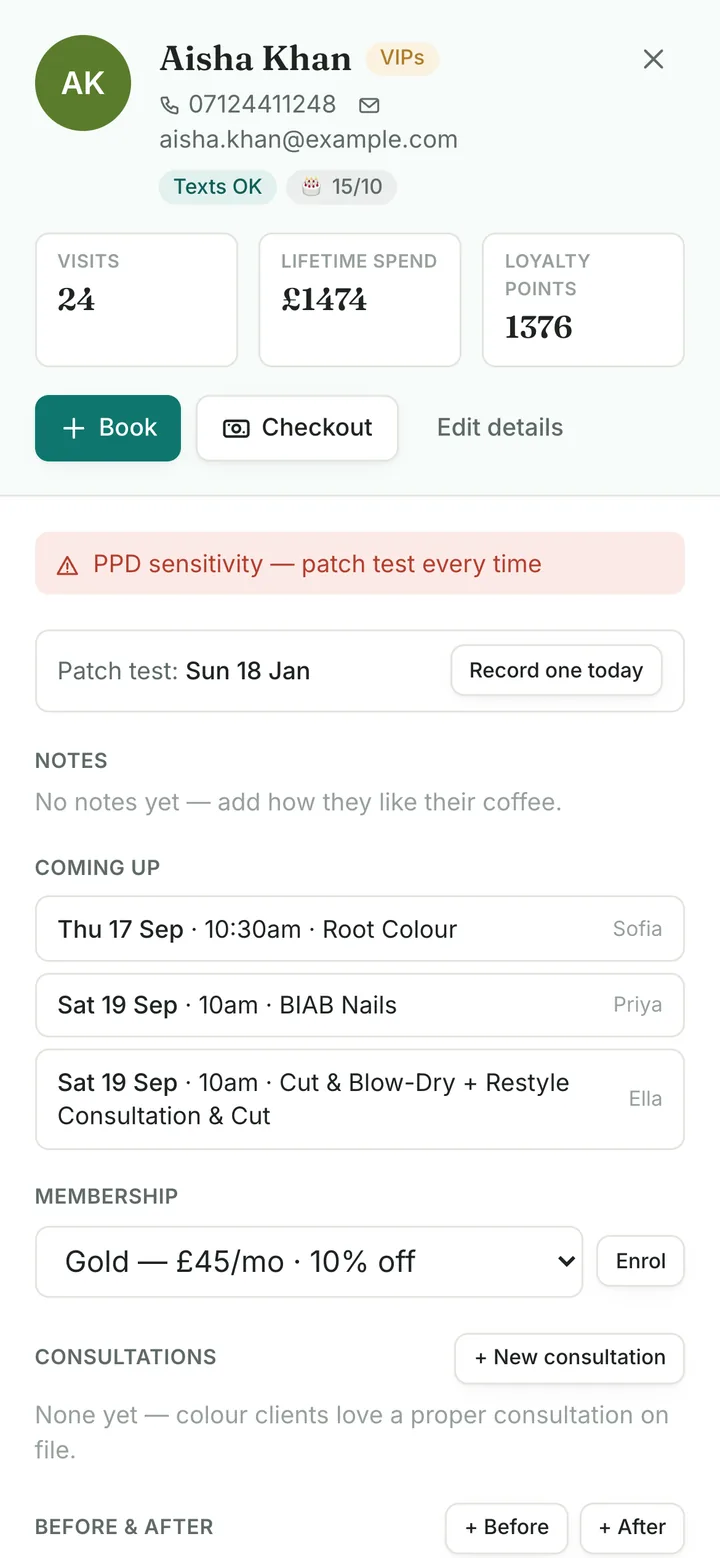
Visits, lifetime spend, loyalty points, notes, colour formula, allergies and the date of the last patch test. What is coming up, gift cards and courses, membership, consultation forms and before-and-after photos, all on one card.
Clients are grouped as new, regulars, VIPs and at risk by thresholds you set. Change the rule once and the labels, marketing audiences and alerts all follow.
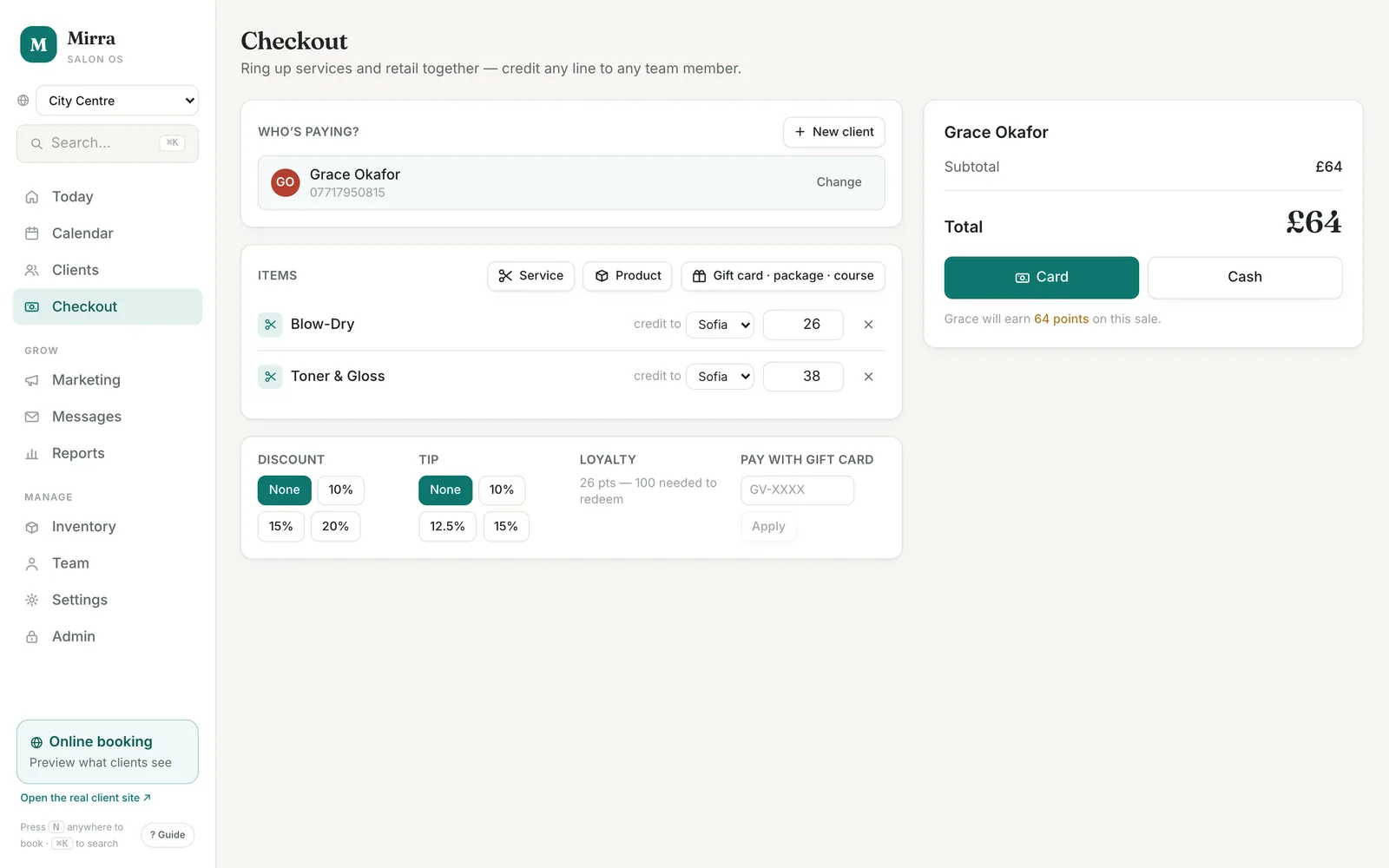
Ring up services and retail together.
Pull in the client from the list of who is in the salon now, add retail, and credit any line to any team member, so a product one stylist recommended counts for that stylist. Discounts, tips, loyalty points, gift cards, packages, courses and membership discounts are applied on the same screen.
The receipt offers to rebook the client's usual appointment about six weeks out, in the first genuinely free slot, in one tap.
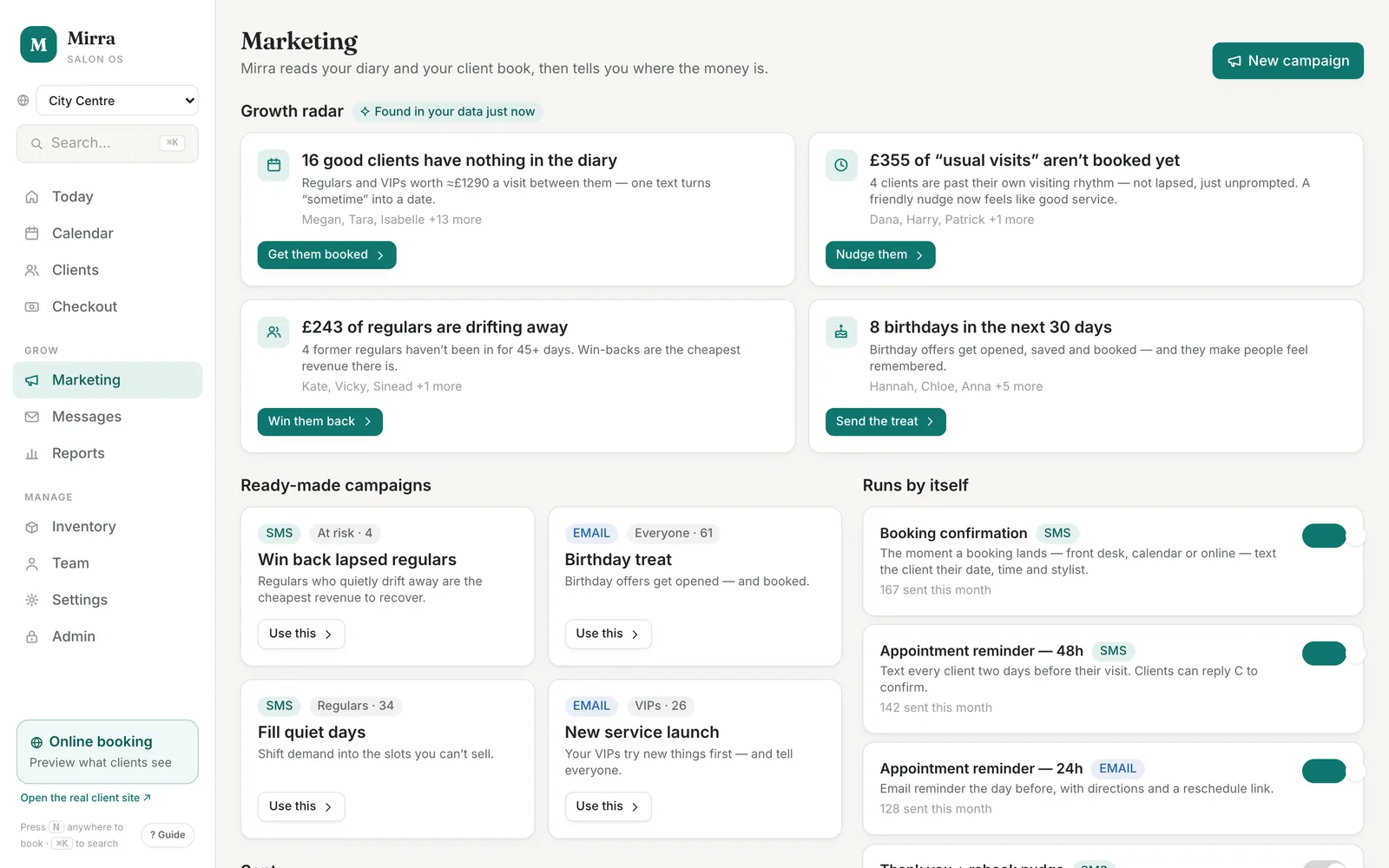
It tells you where the money is.
The growth radar reads your diary and client book and ranks what to do next, with a value on each: clients past their usual visiting rhythm with nothing booked, regulars drifting away, the quietest day next week, birthdays in the next 30 days. One tap opens the message, written and addressed.
The rhythm is worked out per client from their own history. A fortnightly blow-dry is overdue after about 17 days, an eight-weekly colour after about nine weeks.
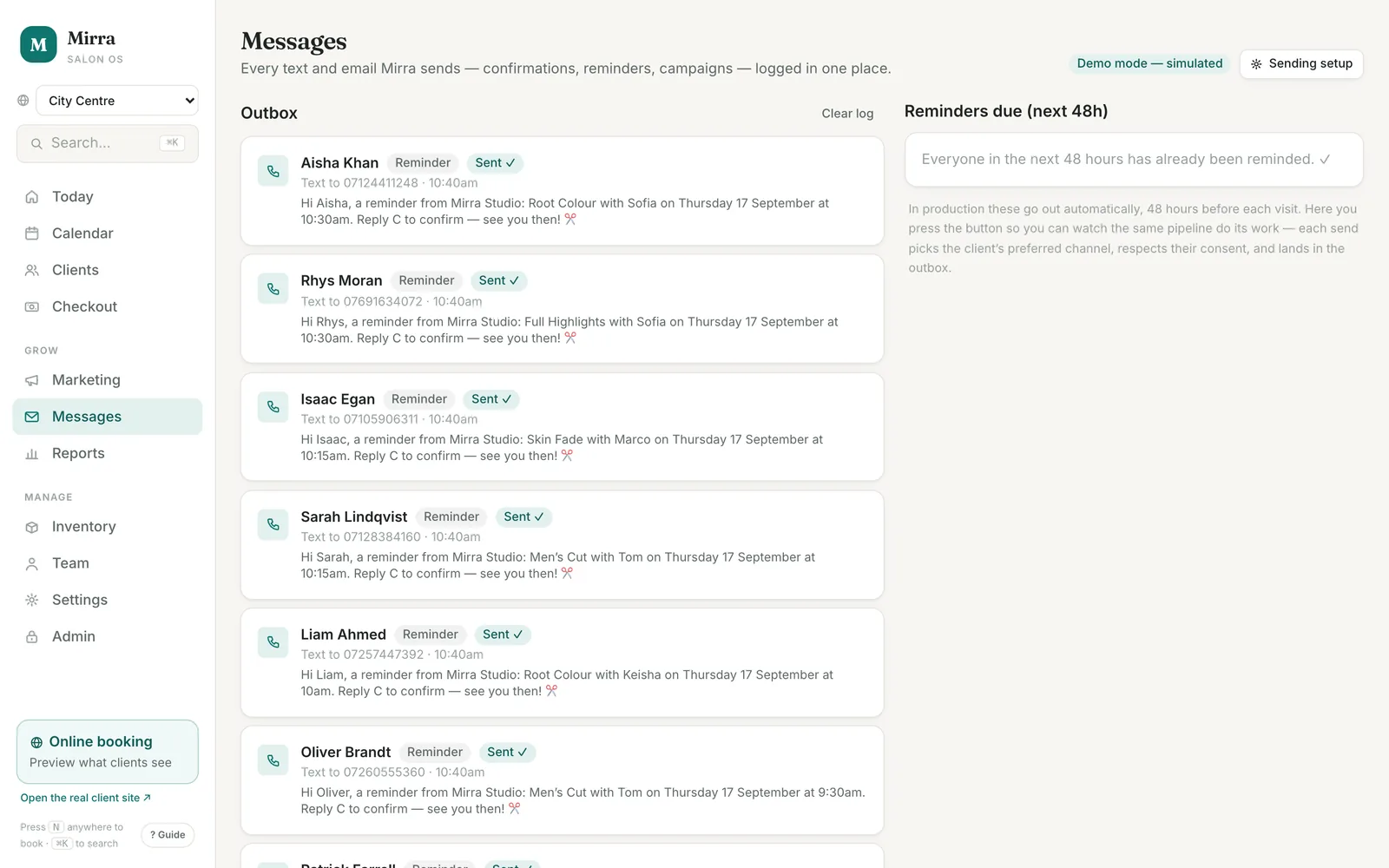
Every text and email, logged.
Booking confirmations go out the moment a booking lands, from the desk, the calendar or the booking page. A thank-you with a rebook nudge follows checkout. Reminders for the next 48 hours are queued on this screen and sent in one tap, and a campaign sends one message per recipient.
Every send is logged with the channel, the recipient and whether it was sent, failed or skipped, and why. A client with no consent or no contact details is never messaged.
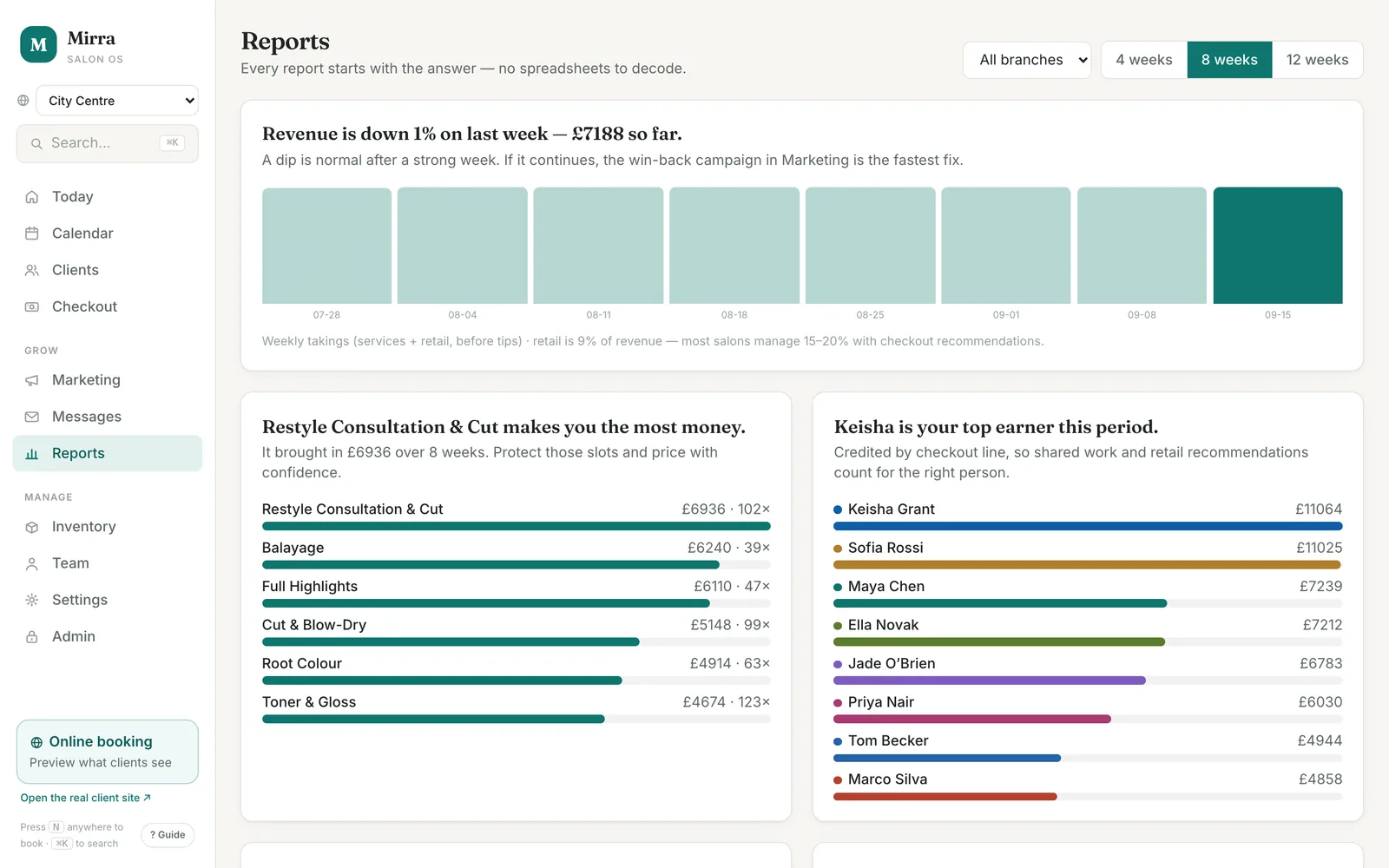
Every report starts with the answer.
Revenue against last week, the service that makes the most money, who earned what, how many recent visitors already have their next visit booked, and tips. Each report leads with a sentence and says what to do about it.
Staff revenue is credited by checkout line, so shared work and retail recommendations count for the right person. Filter by branch and by four, eight or twelve weeks.
Works on a phone.
The sidebar becomes a bottom tab bar. Add it to a home screen and it opens like an app. Booking, check-in, checkout, client cards and the calendar all work at phone size.
Nothing to install and nothing to update. Your team opens the same address on whatever they have in their pocket.
Clients book themselves, without an account.
A booking page under your name.
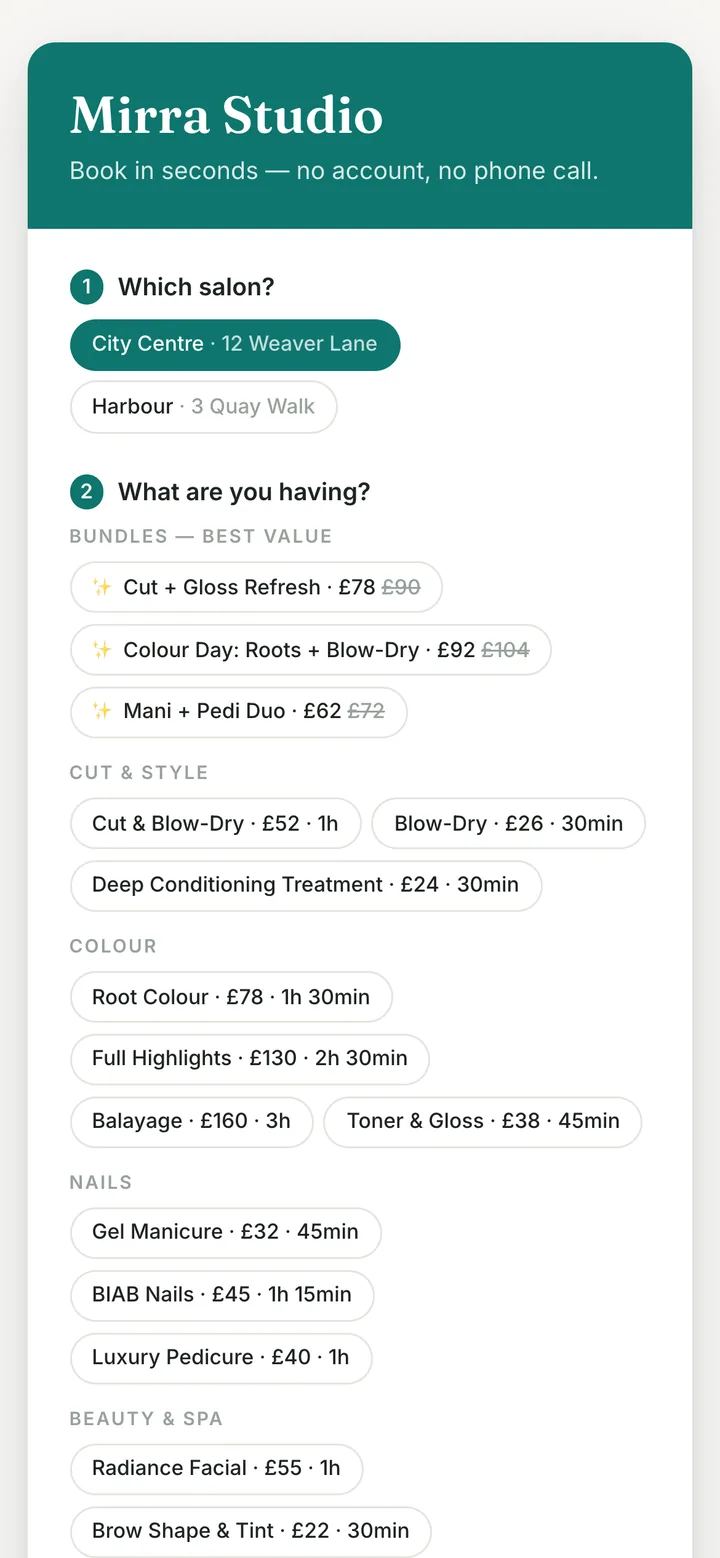
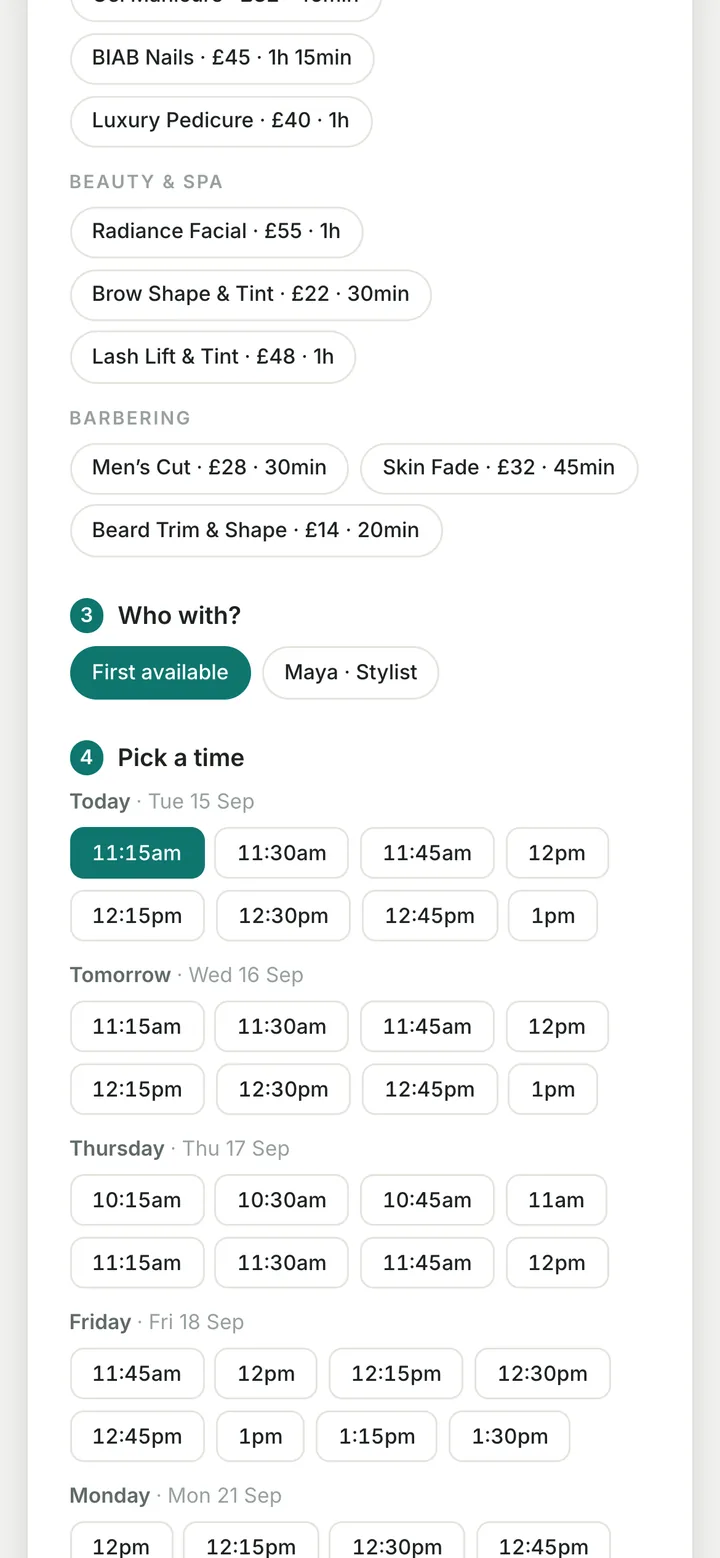
Clients choose the salon if you have more than one, the services or a bundle, a stylist or first available, then a time from a list of real free slots for the week ahead, and enter a name and mobile. A visit with two specialists, such as colour with one stylist and nails with another, is planned back to back as one visit.
Colour services take a deposit, set as a percentage of the price, and every online booking holds a card so a no-show can be charged a 50% fee if you switch that on. Taking the money itself needs a card processor, connected during setup.
Bookings land in the diary within about fifteen seconds and the client gets a confirmation text. Services, prices, durations and who does what come from your own settings, so the page is never out of date. Services you would rather book by phone, and team members who do not take online bookings, simply do not appear.
Stock, team and the back office.
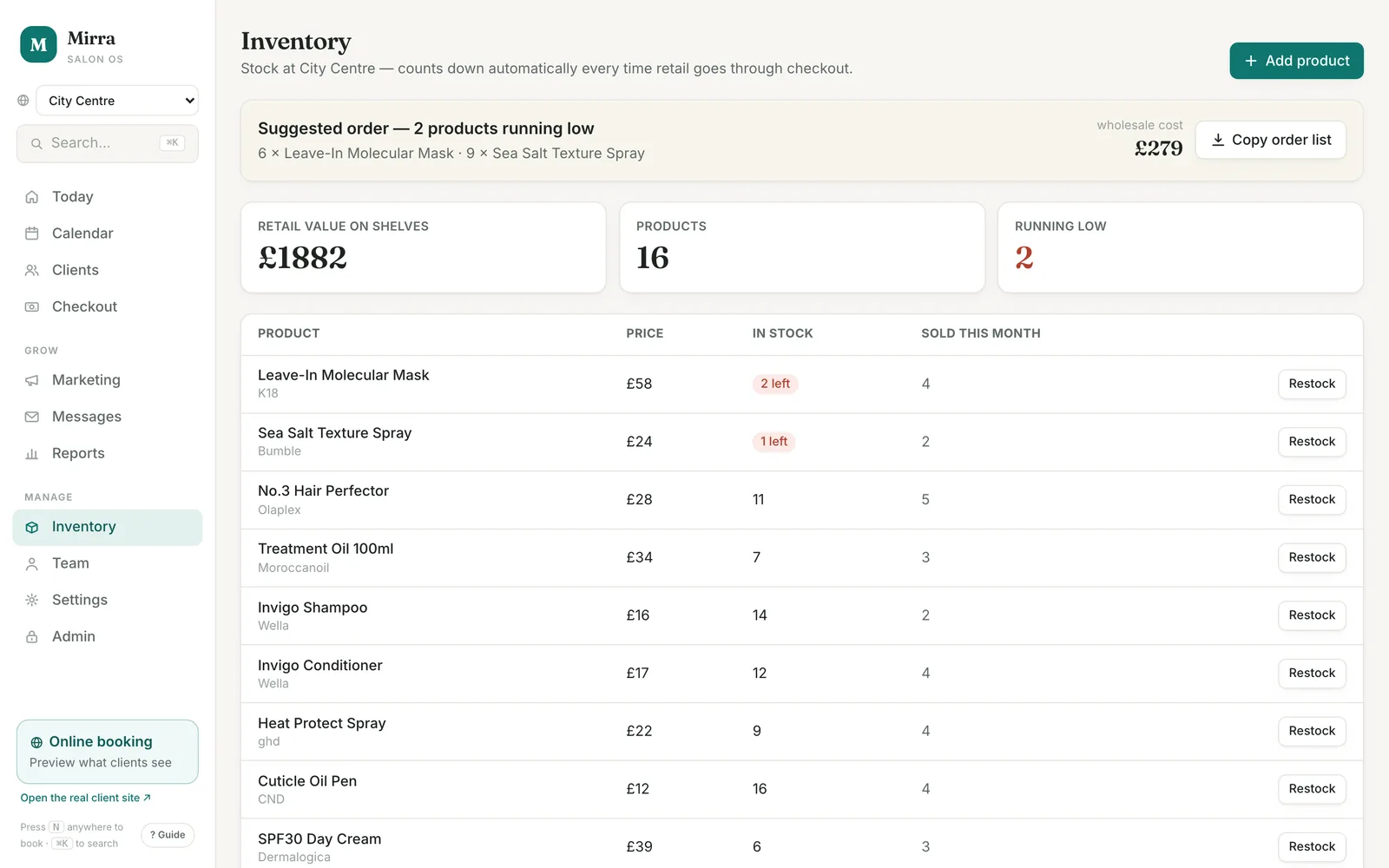
Stock
Counts down every time retail goes through checkout. Low-stock alerts on the Today screen, a suggested order with the wholesale cost you can copy to your supplier, and restocking by delivery or by a stock-take correction.
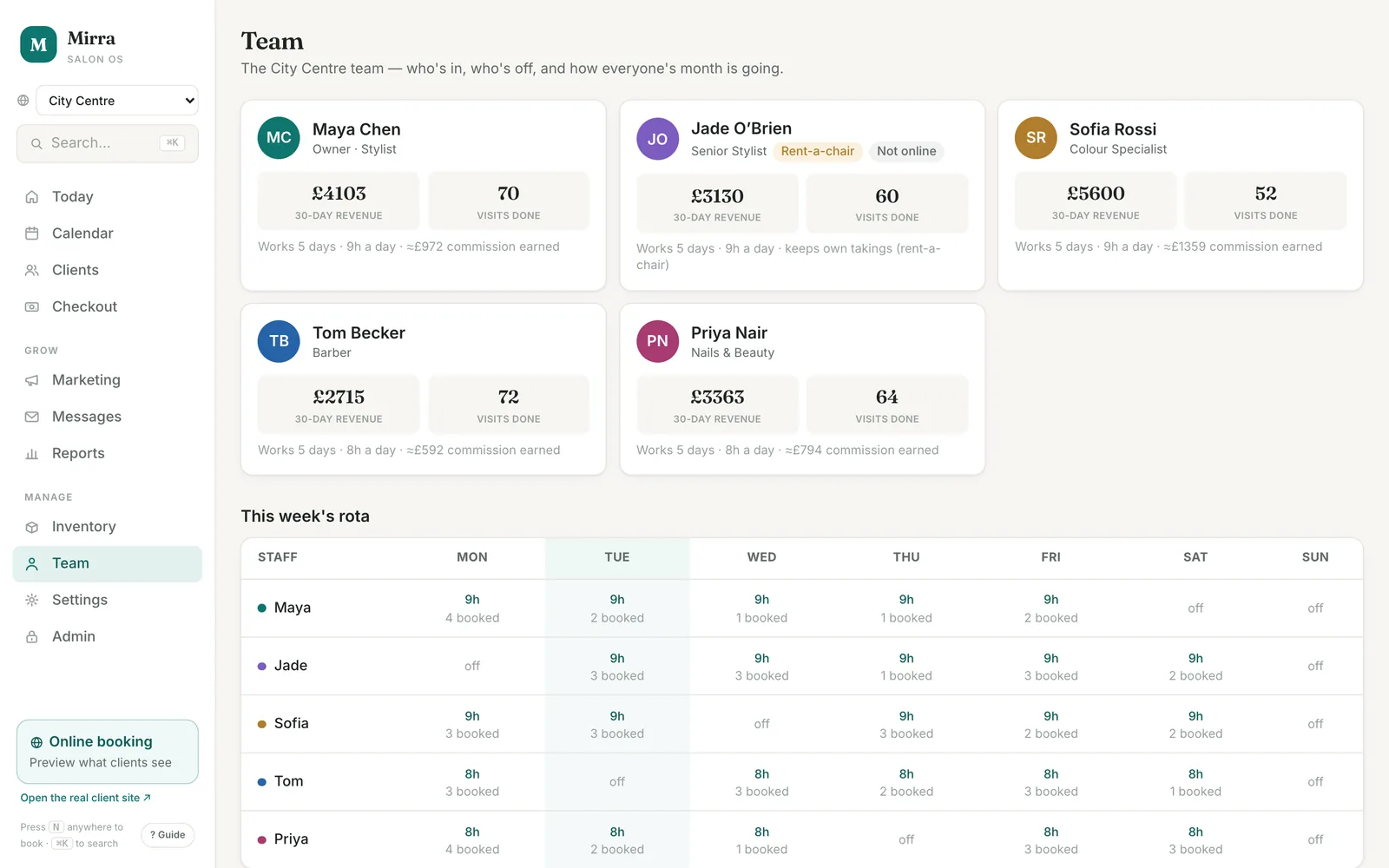
Team
A card per person with role, working days and hours, the branch they work at, and the commission they have earned this month on services and retail. Rent-a-chair stylists keep their own takings and are marked as such. The weekly rota sits underneath.
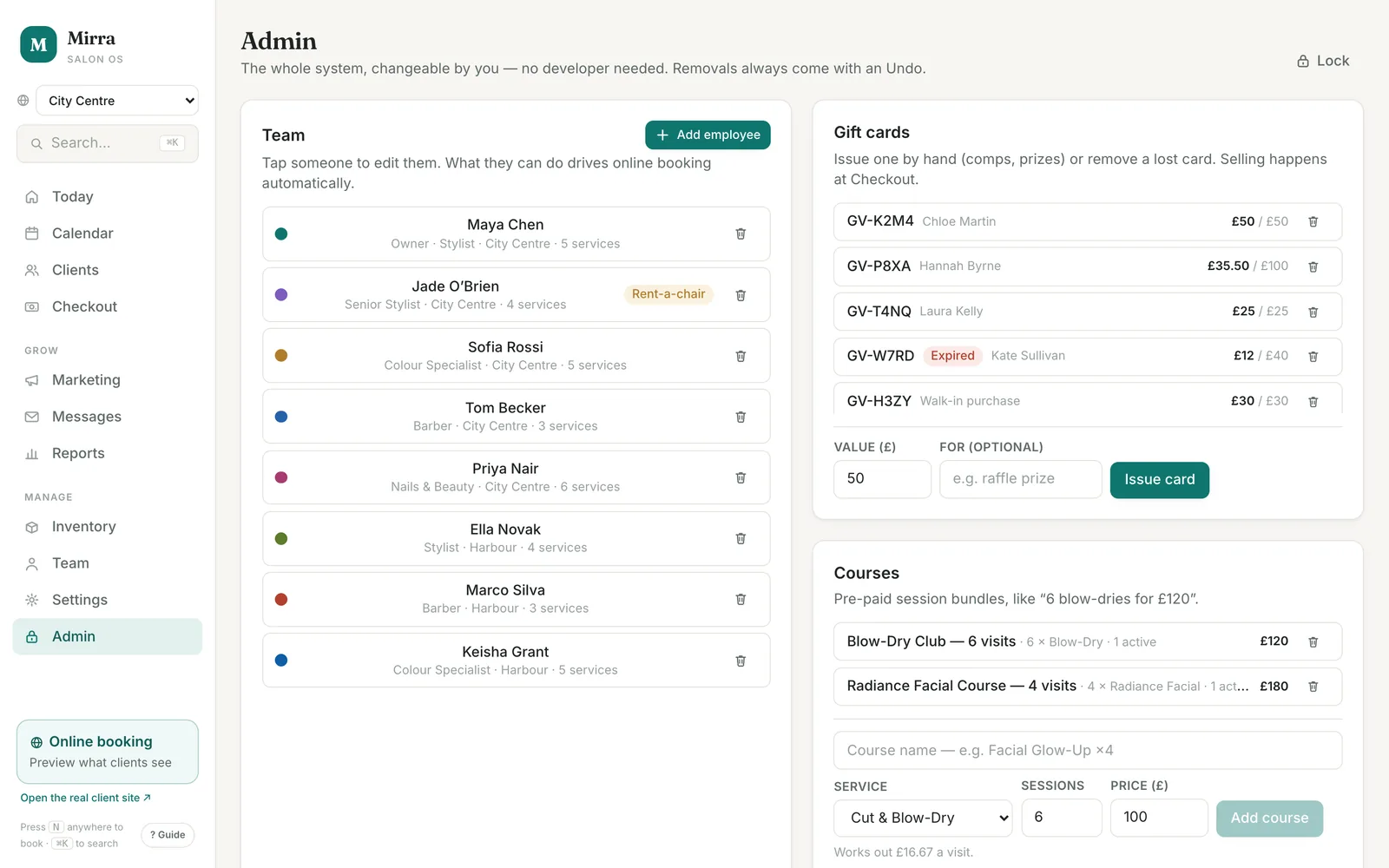
Admin
PIN-locked. Add or change team members, the service menu and prices, processing time, rooms and machines, gift cards, courses, packages, memberships and branches, with no developer involved. Every removal comes with an undo.
Built for the front desk.
Double booking is impossible
Booking and rescheduling block a clash and offer the next free slot. A soft hint flags a service a team member does not usually do.
Developing time
Colour services carry processing minutes at the end. The stylist is free for the next client while the colour takes, and the diary shows it.
Gap fill
Cancel a future slot or record a no-show and it lists the overdue clients to invite, this stylist's regulars first.
Patch tests close the loop
Record one from the alert, the client card or the appointment. Alerts clear themselves.
Undo, not "are you sure?"
Deleting and cancelling happen at once, with an undo in the corner. Faster, and safer.
Search everything
One box finds any client, service, screen or action. Press N anywhere to book.
Gift cards, packages, courses
Sold at checkout, redeemed by code, balances on the client card. Packages price as a bundle. Courses are prepaid sessions with a count.
Memberships and loyalty
A monthly plan with a percentage off services and retail, applied automatically at checkout. Loyalty points build on every sale and come off at checkout, with no card to stamp.
More than one branch
Staff, stock and the diary sit per branch. Clients are shared. Reports run for one branch or all.
Consultations and photos
A consultation record per client: what they are after, colour history, patch test done, notes. Before-and-after photos sit on the same card.
No-show protection
Online bookings hold a card. A no-show can be charged a 50% fee, recorded against the booking as a real sale.
Your data is yours
Export everything as JSON, or your clients as CSV, any time, free. Import a client book from any other system the same way.
Built for salons. Configured for you.
Colour formulas, patch tests, developing time, rooms and chairs, rent-a-chair stylists: the platform was built around how a salon works. Everything it knows about your business is edited from the Admin and Settings screens, without a developer. For a clinic, barbershop, spa or another appointment business, we change the vocabulary and the rules during setup and confirm what is possible in the consultation.
- Team. Who does which services, days and hours, branch, a short bio for the booking page, commission rates, and whether they take online bookings.
- Service menu. Names, categories, durations, prices, processing time, whether a patch test is needed, the room or machine a service needs, and whether it is bookable online.
- Rooms and machines. Anything a service needs besides the person, so it is never booked twice.
- Packages, courses, memberships and gift cards. Set up once, sold at checkout.
- Branches. Add a second site and switch between them.
- Business settings. Opening hours, currency, the online deposit, no-show protection, and the thresholds that make a client new, VIP or at risk.
Where it is today.
What is working now, and what is not, so you can decide with the facts.
- Every screen and workflow on this page runs now, on sample data. You can click through the whole platform on a demo call.
- It ships in demo mode. Texts and emails are simulated and logged so you can watch the pipeline work without a message leaving the building. Live sending uses your own Resend account for email and Twilio account for SMS, set up once with us; both bill you directly.
- Today a salon's data lives in the browser it is opened in, except online bookings, which are stored centrally so they reach the diary from anywhere. A hosted version with team log-ins, one shared record across every device, and reminders sent on a timer rather than in one tap, is in development.
- Deposits and no-show fees are part of the booking flow. Taking the money needs a card processor, which is connected during setup.
CRM questions.
Do I need this if I already have booking software?
No. The Voice Receptionist and Email Agent connect to any CRM or booking platform with an API and work with the one you already run, exactly as it is. The CRM Platform is for salons that want to replace their booking software, or that do not have any yet.
Is it only for salons?
It was built for salons and that is where it is most complete. Staff, services, rooms, branches, client segments and messages are all editable, so it can be set up for a clinic, barbershop, spa or another appointment business. We confirm what needs changing during the consultation.
Can my team use it on their phones?
Yes. It is a web app that works at phone size and can be added to a home screen. There is nothing to install.
Can I bring my clients across?
Yes. Import a CSV with first name, last name, mobile and email from any other system. Duplicates are matched by phone number. Everything can be exported again at any time, free.
Does it send real texts and emails?
Yes, in live mode, through your own Resend and Twilio accounts. Until then it runs in demo mode, where every send is simulated and logged. Either way, every message is logged, and clients without consent or contact details are never messaged.
Is it available now?
You can see the whole platform working on sample data on a demo call. Running it for your salon is set up per business, and we tell you in writing what is included before anything starts.
What does it cost?
It is priced per business, like the Voice Receptionist, and confirmed in writing before anything starts. See pricing.
Who owns the data?
You do. Export everything as JSON or CSV whenever you like, at no charge. We act as your processor under the data-processing addendum that comes with your contract.
See every screen working.
Book a demo and we will walk through the platform on sample data, then load your services, team and prices so you can try it on your own salon.